


America's Got Talent on NBC
4.23.40K Reviews
App Specs
- Version
- 1.11.4
- Updated On
- License
- Free
- Downloads
- 1,000,000+
- Developer
- NBCUniversal Media, LLC
- Categories
- Entertainment
- Platform
- Android
Screenshots
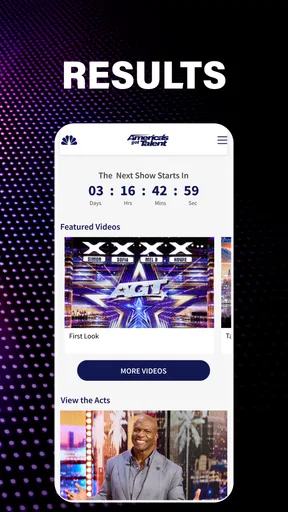
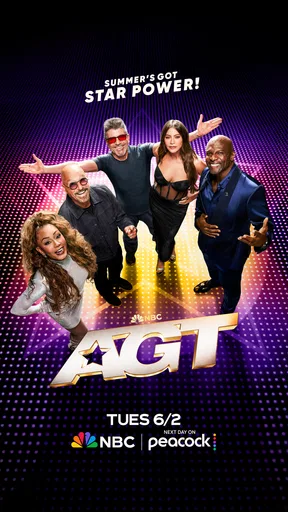
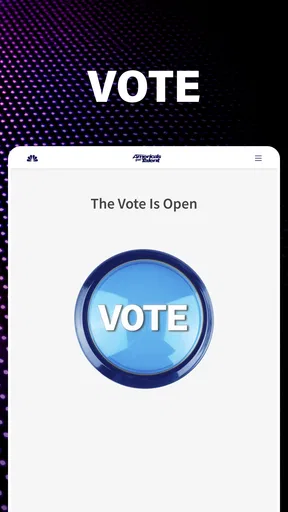
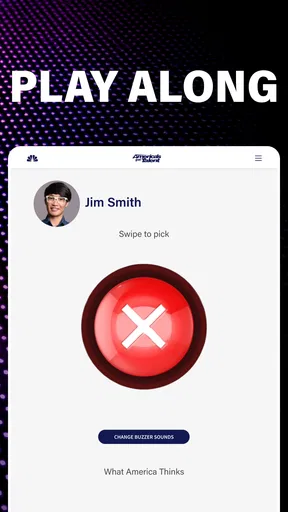
 Analysis by AppCompare
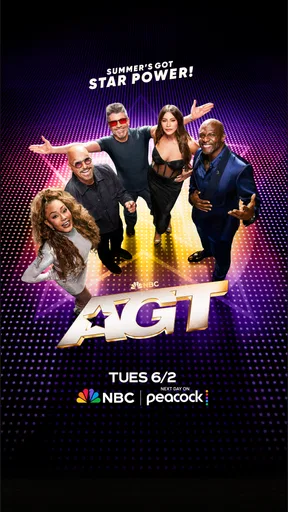
I approached America’s Got Talent as a companion app for viewers who want the NBC show closer at hand rather than as a complete replacement for watching the program on television. It is a free entertainment app from NBCUniversal Media, LLC, built around the world of the talent competition and its current judging lineup: Simon, Sofia, Mel B, Howie and Terry. My overall impression is positive, especially for fans who like keeping up with the show between episodes, although its usefulness depends heavily on how much you already follow the series.
The app has a 4.2 average from around 12 thousand ratings and more than a million installs, which gives a reasonable indication that it has found a steady audience. It is rated for Everyone, so it is easy to recommend for family viewing situations, though individual performances and the broader tone of a talent competition can still vary from episode to episode. The app is free, and that matters because it makes trying it a low-risk decision rather than another entertainment subscription.
How I used the app as a regular AGT viewer
My most practical workflow was simple: open the app when I wanted a quick connection to the show, look through the available content, and then return to it around the time I was watching or discussing an episode. That distinction is important. I did not treat it like a general video service with an enormous catalog. I treated it as a focused second screen for America’s Got Talent, useful when I wanted show-related material in one place.
This makes the app a good fit for several everyday situations. If I had a few minutes before an episode, it gave me a convenient way to get into the AGT mood. After watching with family, it was useful to continue the conversation instead of immediately moving to an unrelated social feed. It also works for viewers who discover a performer through the television broadcast and want to stay connected to the program without searching across several unrelated apps.
The experience is most satisfying when I already know what I am looking for. A fan following the judges, the host or the season can move through the app with a clear purpose. A casual user who expects a large, constantly changing entertainment library may find it narrower than expected. That is not necessarily a flaw; it is simply the trade-off of using a dedicated show app instead of a broad streaming platform.
I also found that the app works best when I separate “watching the show” from “checking the app.” During a live or family viewing session, constantly switching between television and phone can distract from performances. My preferred habit was to watch first, then use the app during a break or afterward. That small change made it feel like a useful companion rather than a source of interruption.
What the basic workflow gets right
The strongest part of the baseline workflow is focus. The app is not trying to be a full entertainment portal covering every program from every network. Its identity is tied to AGT, so the content feels relevant when I open it for that specific reason. For a fan, that saves the effort of searching manually for official material or relying on scattered social posts that may mix clips, commentary and unrelated recommendations.
Worth Reading Before You Choose

EA SPORTS FC Mobile 26 Is a Bigger Football Game, but It Takes Time

Flipboard Shows What News Apps Must Do Beyond the Feed

Switching to Android Auto Means Rethinking Your Driving Routine

Google Calendar Makes a Crowded Week Easier to Manage

Ludo King Makes the Most of the Minutes Between Plans

Baby Panda World Brings Quick Play to Modern Phones, but Its Game Library Feels Busy
That focus also makes it easier to build a repeatable routine. I would check the app at a natural point in my viewing cycle rather than opening it randomly throughout the day. Before watching, I used it as a reminder of the show’s current context. After watching, I used it as a way to extend the experience. This is a modest workflow, but it is more effective than expecting the app to create an entirely separate entertainment habit.
Another useful point is that the app’s free access lowers the barrier for occasional viewers. Someone who watches only when a particularly interesting act appears does not have to commit to another paid service simply to explore the official AGT experience. At the same time, free access should not be confused with unlimited convenience. The app remains tied to the show’s own content ecosystem, so viewers looking for a broad range of programs will still need their usual streaming or television options.
Settings and habits worth checking first
There are no complicated controls that I would expect a new user to master immediately, so I recommend beginning with the phone’s own app and notification settings. If alerts are available on your device, decide whether they genuinely help you keep up with AGT or merely add noise. I prefer enabling only notifications that support a clear viewing habit. An app centered on one show can become annoying if every alert feels equally urgent.
It is also worth checking how the app behaves on your particular device before settling into a routine. The listed minimum operating system is version 10, so users should make sure their Android or iOS device meets that requirement. Compatibility is not something I would leave until the moment an episode begins. Installing and opening the app earlier gives you time to update the operating system, free storage or adjust system-level notification preferences if needed.
I would also review the app’s placement on the home screen. This sounds minor, but a dedicated entertainment app is easier to use when it is grouped with the services you actually check before or after television viewing. I kept it close to my streaming and television apps, which encouraged a deliberate “watch, then check” routine. Burying it inside a large folder makes it less useful for exactly the quick visits it is designed to support.
For family use, the Everyone rating is reassuring, but I would still use ordinary parental judgement. Age labels are helpful broad guidance, not a substitute for knowing what your children are comfortable watching. Because AGT features varied performers and competitive reactions, the most suitable experience can depend on the child and the specific content being viewed.
Faster patterns for returning users
Experienced users can make the app feel faster without pretending it contains secret tools. The best shortcut is behavioral: decide what you want before opening it. If I wanted to catch up on the show, I opened it with that purpose. If I wanted a particular piece of official content, I avoided wandering through unrelated sections. This reduces the common problem of opening an entertainment app without a plan and leaving several minutes later without finding anything useful.
A second pattern is to use the app at transition points. The five minutes before a program starts, the break after a performance and the period immediately after an episode are better opportunities than trying to browse while someone else is speaking on television. This approach protects the shared viewing experience and still gives the app a role. It is especially helpful when watching with family or friends, because the phone remains a supporting tool rather than becoming the center of attention.
I also recommend keeping expectations tied to official AGT material. If I wanted broad fan discussion, independent reviews or a large archive of unrelated talent shows, I would use a social network, search engine or general streaming service instead. The dedicated app is more efficient when the goal is staying within the show’s official environment. The broader alternatives are better when discovery and variety matter more than focus.
Another practical habit is to avoid judging the app after only one hurried opening. Entertainment apps can feel empty when checked at the wrong moment, particularly if I am expecting a specific episode-related item to appear immediately. I found it more useful to evaluate the overall routine: does it help me follow AGT, revisit its atmosphere and find official material with less effort? That is a fairer test than asking whether it replaces every other way of watching or discussing television.
Where the experience has limits
The main limitation is scope. This is an AGT-focused app, not a universal video destination. If your entertainment habits involve jumping between dramas, sports, documentaries and news, the app will not become your central media hub. Its value rises when your interest is concentrated on America’s Got Talent and falls when you want variety.
I also would not choose it as my only way to follow the program. A dedicated app can complement television viewing, but it is not automatically the best answer for someone who needs a complete, flexible streaming setup. Viewers should keep using the platform or broadcast method that already provides their preferred way to watch full episodes. The app makes more sense alongside that setup than in place of it.
There is a similar limitation for users who dislike second-screen experiences. Some people want to watch a performance without extra material, alerts or phone interaction. For them, the app may add little. I would skip it if my ideal AGT routine is simply turning on the television and putting the phone away. The application is most worthwhile for people who enjoy extending the show beyond the main viewing session.
Version 1.11.4 is the current version listed for the app, and the release date shown for it is July 8, 2015. Those details suggest a product with a long presence rather than a brand-new experiment. For me, the important practical lesson is to keep the app updated through the relevant store and to test it before relying on it for a particular viewing plan. Long-running apps can remain useful, but the quality of the experience still depends on how well the current build behaves on an individual device.
I would also be cautious about using it in situations where uninterrupted attention or battery life matters. Any phone-based companion activity can compete with calls, messages and the main program. My solution was not to keep the app open continuously. I opened it for a specific task, finished that task and returned to the larger viewing experience. That simple limit made the app feel more controlled.
Who should install it, and who should pass
I would recommend it to regular AGT viewers, families who watch the show together, and fans who want an official place to stay connected between television sessions. It is particularly suitable for someone who prefers a focused app over searching through social platforms, where official material can be mixed with spoilers, arguments and unrelated posts. The free price makes it easy to test without changing your existing entertainment budget.
It is also a sensible choice for occasional viewers who want to explore the show without signing up for another paid entertainment product. You can install it, see whether its focused approach fits your habits and remove it if it does not. That flexibility is one of its practical strengths.
I would pass if you are searching for a broad streaming catalog, a replacement for your television provider or a deeply customizable media organizer. I would also pass if you rarely watch America’s Got Talent and do not expect that to change. A focused companion app has little reason to remain on your phone when the underlying show is not part of your regular routine.
My final assessment after building a repeatable routine
After using it as a companion rather than demanding that it do everything, I found the app easy to understand and reasonably useful. Its best quality is concentration: it keeps the AGT identity, judges and host at the center instead of sending me through a generic entertainment maze. The combination of free access, an Everyone rating and a substantial existing audience makes it approachable for many viewers.
My recommendation comes with a clear condition: install it because you want an official AGT-focused experience, not because you expect a replacement for every other entertainment app. The most effective routine is to check it before or after viewing, keep notifications under control, confirm device compatibility and use it with a specific purpose. Those habits make the experience quicker and less distracting.
For me, America’s Got Talent succeeds as a lightweight extension of the show. It is not essential for every viewer, and people seeking broad content or completely phone-free television should choose another approach. But if you already enjoy AGT and want a convenient way to remain connected to its world, I think it is worth trying. The app is at its best when it supports your viewing routine instead of trying to replace it.
Pros
- Official NBC app with reliable access to AGT-related content.
- Useful reminders help viewers keep track of new episodes.
- Supports casting to compatible TVs for a larger-screen experience.
- Includes accessibility options such as captions on supported videos.
- A convenient hub for clips
- interviews
- and show updates in one place.
Cons
- Some videos may require a participating TV provider or NBC account.
- Availability of episodes and clips can vary by location and broadcast rights.
- The app may show frequent ads during free video playback.
- Performance can depend heavily on internet speed and device compatibility.
- Content is focused on NBC programming rather than broader AGT coverage.
FAQs for America's Got Talent on NBC
What is America’s Got Talent on NBC?
America’s Got Talent is NBC’s talent competition series featuring singers, dancers, comedians, magicians, acrobats, and performers of all kinds. Contestants audition before the judges and a live audience, hoping to advance through the competition and win the grand prize. The official app or NBC platform may provide episodes, clips, schedules, news, voting details, and behind-the-scenes content, depending on your location.
Can I watch full episodes of America’s Got Talent on the app?
Availability of full episodes depends on the platform, your country, and whether you have access through an eligible television provider or streaming subscription. Some users may only see previews, highlights, interviews, audition clips, or selected episodes. Before downloading, check the app description and supported regions, because NBC content can change over time and certain videos may require signing in with a participating provider.
Does the America’s Got Talent app allow viewers to vote?
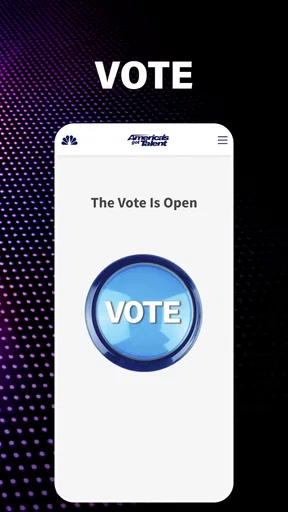
Voting options may be offered during specific live shows or stages of the competition, but they are not necessarily available throughout the entire season. If voting is supported, the app may require an account, location verification, or other eligibility conditions. Voting windows are usually limited, and rules can vary by season, so viewers should read the official instructions carefully before submitting votes.
Is America’s Got Talent on NBC free to download and use?
The official app may be free to download, but some features and video content can require a television-provider login, a paid streaming service, or an in-app subscription. Mobile data charges may also apply when watching video over a cellular connection. The exact cost depends on the device, region, provider, and current NBC distribution agreements, so review the app store listing before installing.
Which devices and locations support America’s Got Talent content?
Support can vary between Android, iPhone, tablets, smart TVs, and web browsers, while certain features may be limited to particular operating systems or app versions. NBC programming is also subject to regional licensing, meaning users outside the United States may not receive the same episodes, clips, voting tools, or schedules. Check device compatibility and country availability in the official store listing before downloading.


